AMAIQ Renovation Control System
$19.99
Quote comparison plus budget, payments, changes, timeline, risks and handover. Two editable Excel files with blank project inputs and fictional worked examples. One-time price: $19.99 USD.
Description
Keep your renovation costs and decisions together.
See the full system in 30 seconds
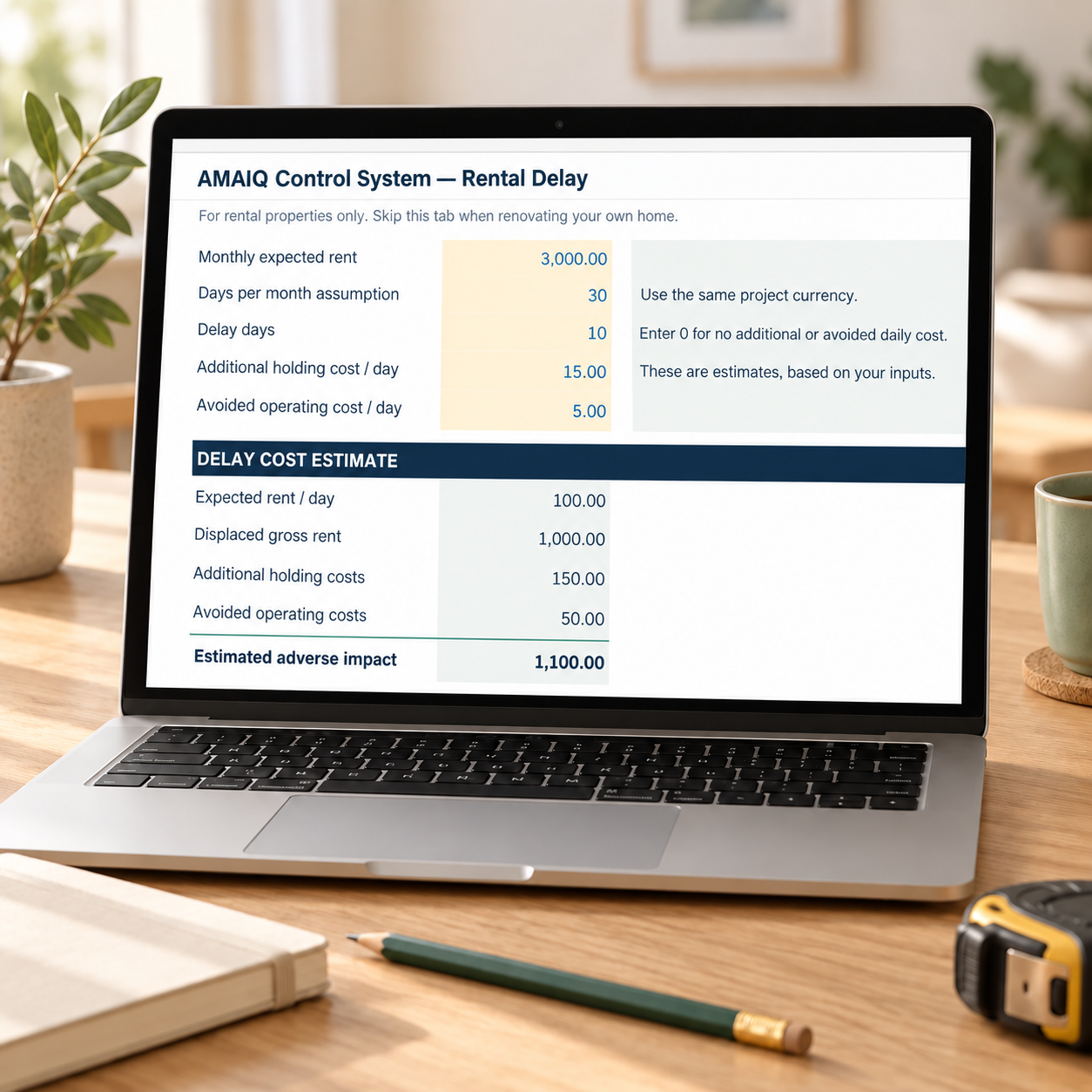
Compare offers and manage budget, payments, timeline, changes, risks and handover. Optional Rental Delay estimates the financial effect of a later rental start.
Fictional USD example. On-screen instructions; no audio required.
Compare contractor offers, connect payments and approved changes to budget items, and maintain a current forecast of what it will cost to finish.
What you receive
- Renovation Control System: an editable Excel (.xlsx) workbook.
- Standalone Contractor Quote Comparison Excel workbook, included in the price.
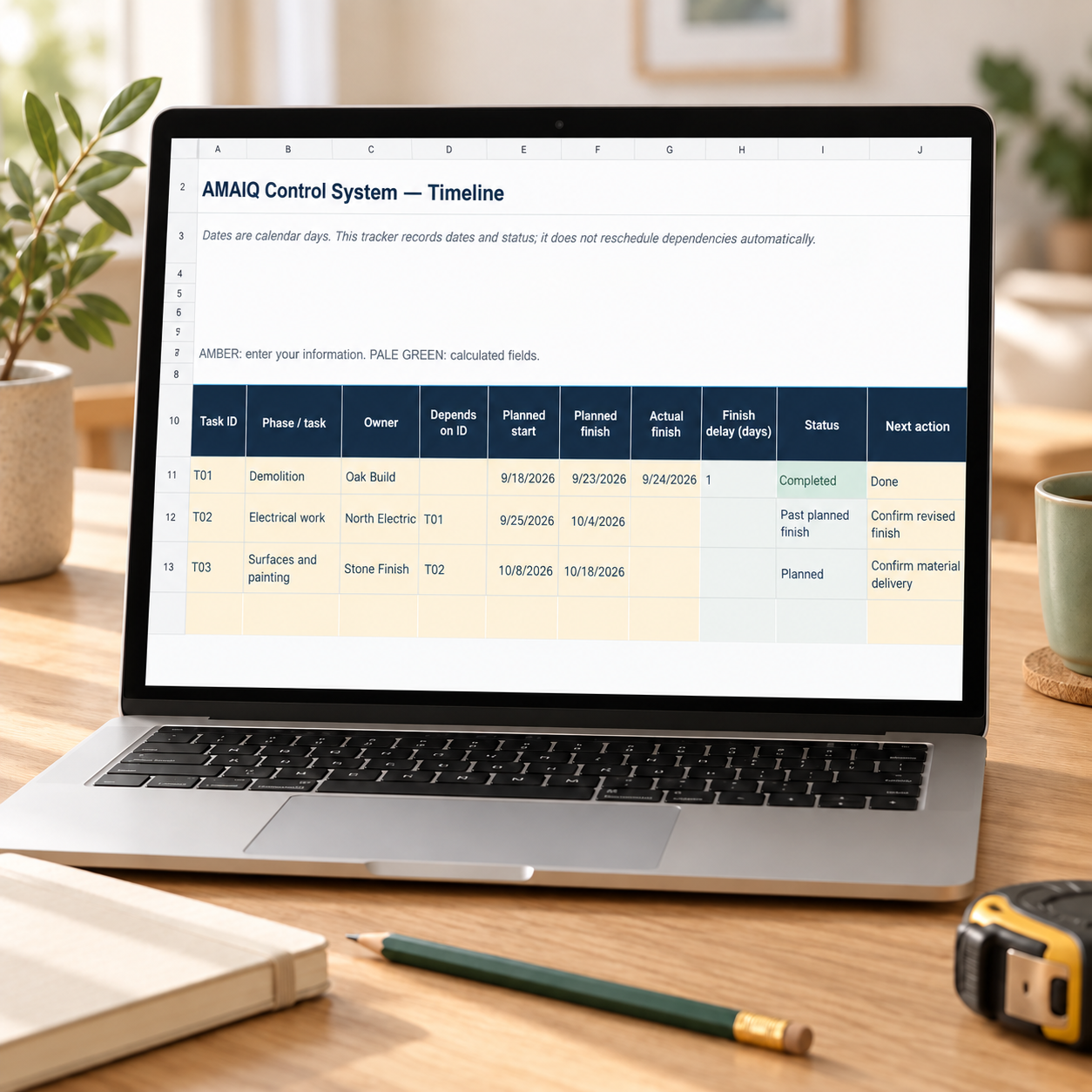
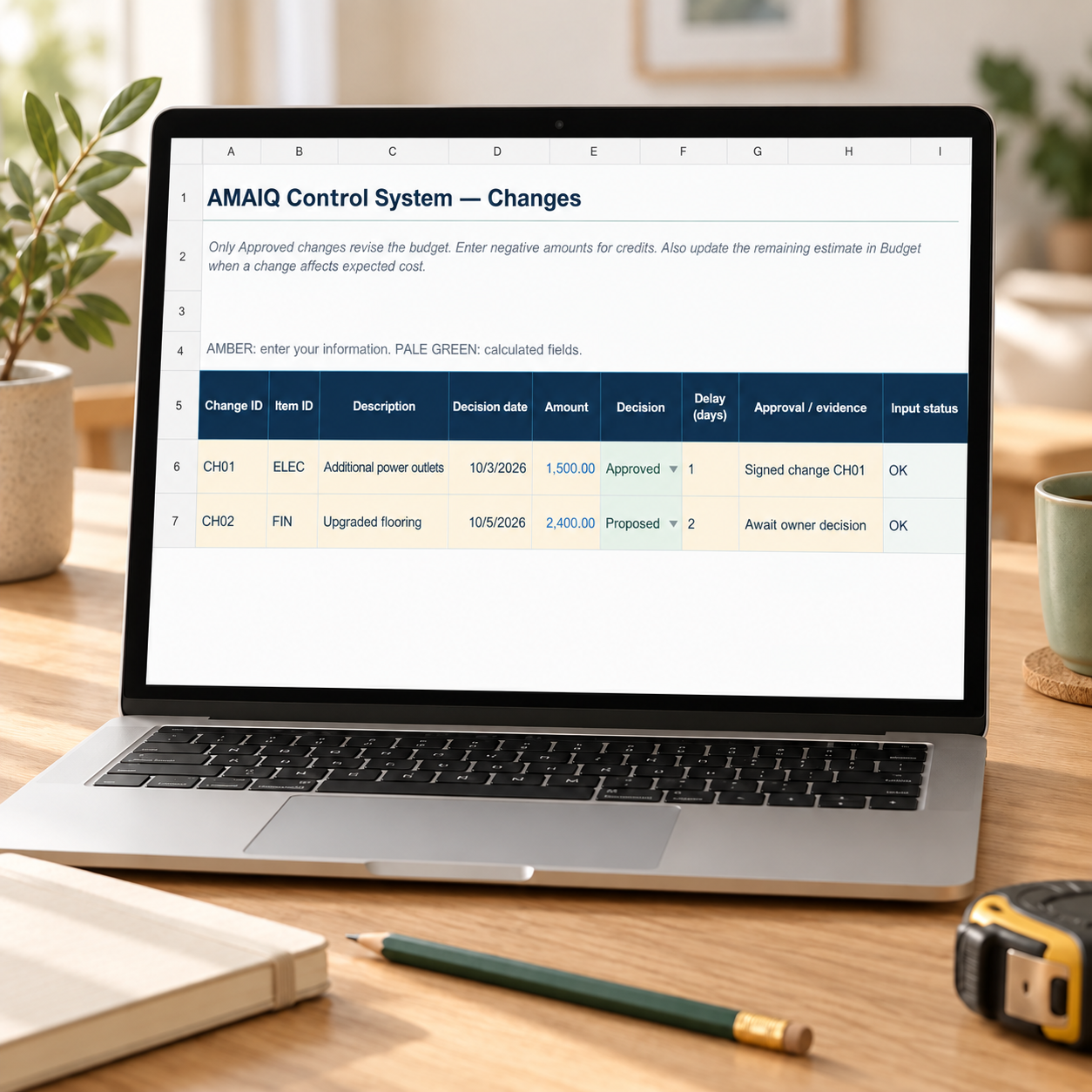
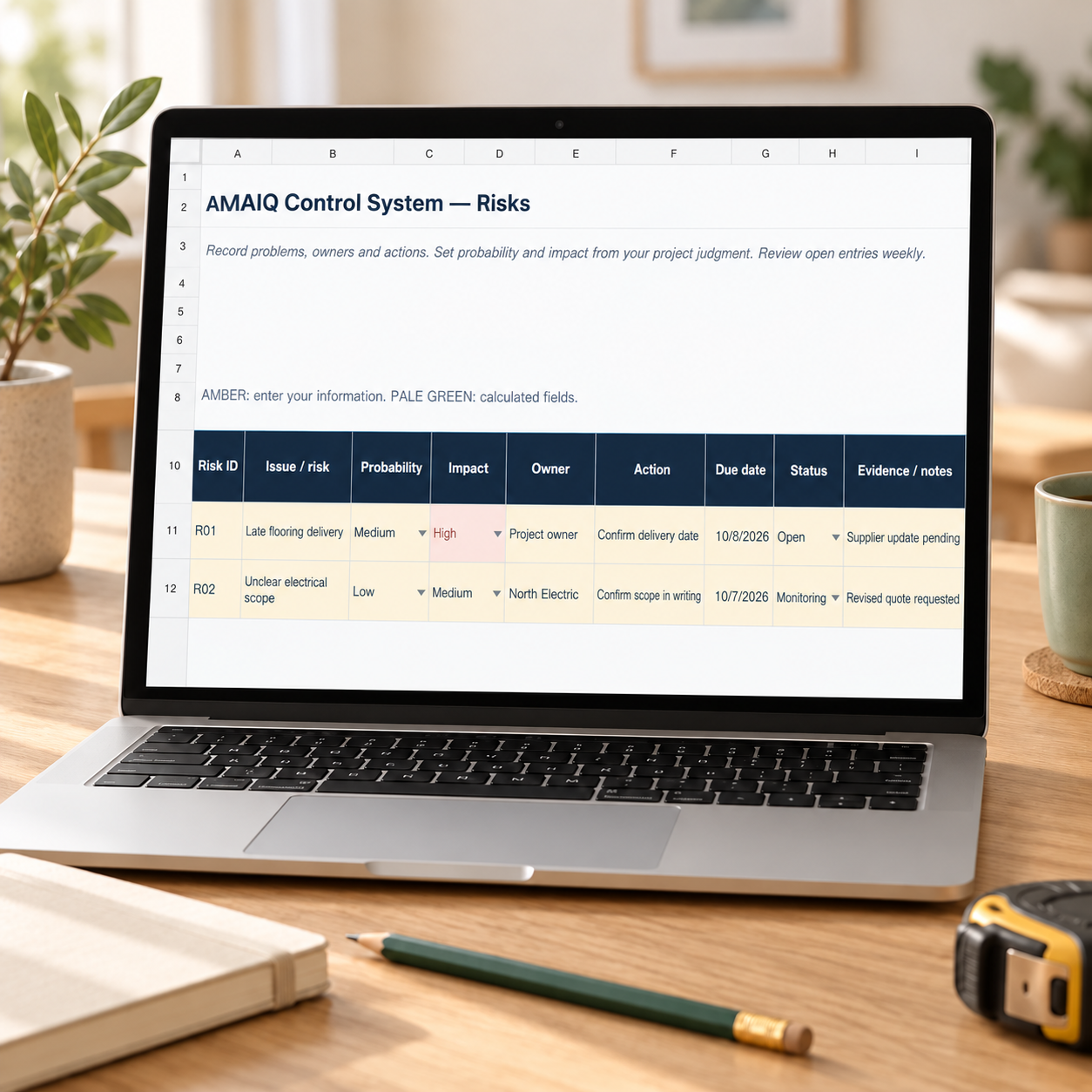
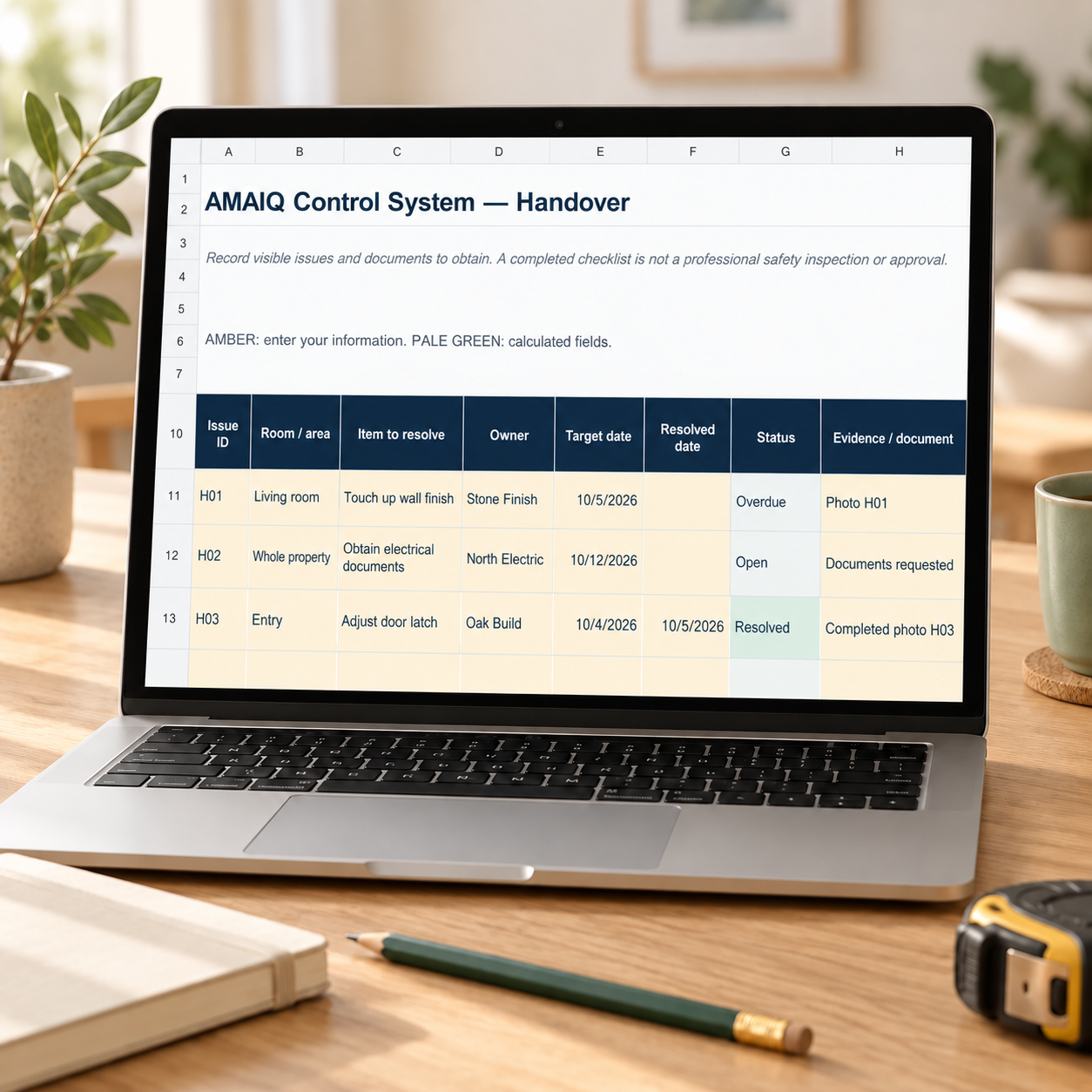
- Budget, Quotes, Payments, Timeline, Changes, Risks, optional Rental Delay and Handover trackers, plus Overview.
- Blank project inputs, guidance inside the files and separate fictional worked examples. The quote comparison includes automatic Review flags for missing or unclear scope, costs and offer details, with a full-renovation example.
Download both files after payment. Save a private working copy for each project. USD is the default currency; use one currency throughout your project.
How to start
- Enter your project details, funds and review date.
- Add budget items with unique IDs, then link payments and changes to those IDs.
- Update remaining estimates and review input warnings before relying on totals.
- Compare up to three contractor offers against one common scope.
Capacity: 100 budget items, 100 payment milestones, three offers with 30 scope items, and 50 rows per other tracker.
One-time price: $19.99 USD
Contractor Quote Comparison is included. You do not need to buy the $9.99 tool separately.
The files calculate from the information you enter. They do not obtain quotes, connect to your bank, verify contractors or automatically reschedule work. Rental Delay is optional for rental projects.
SEE THE DIGITAL WORKBOOK
Your budget, payments and project overview.

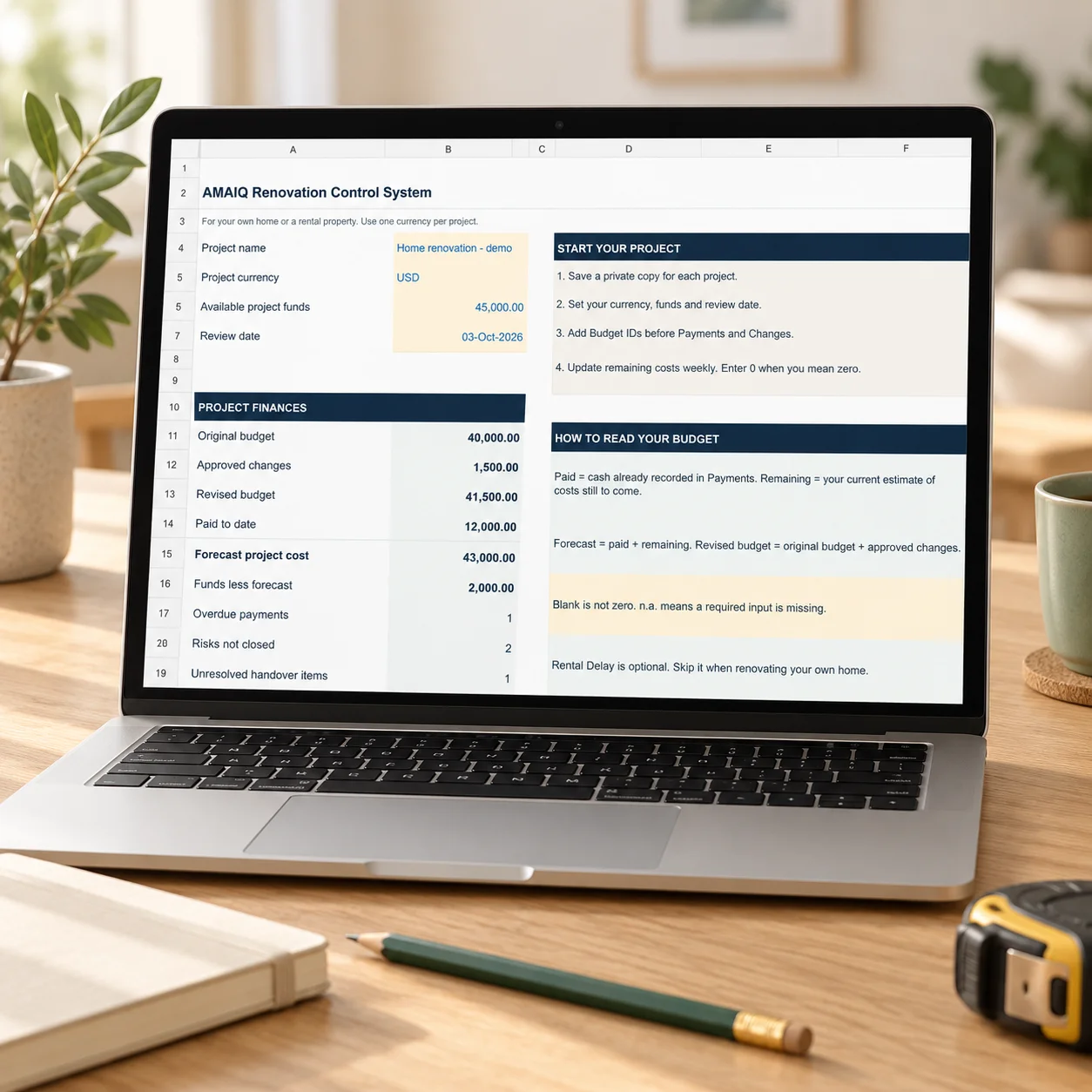
Your project overview
Bring your budget, paid amounts, forecast and open items into one view.

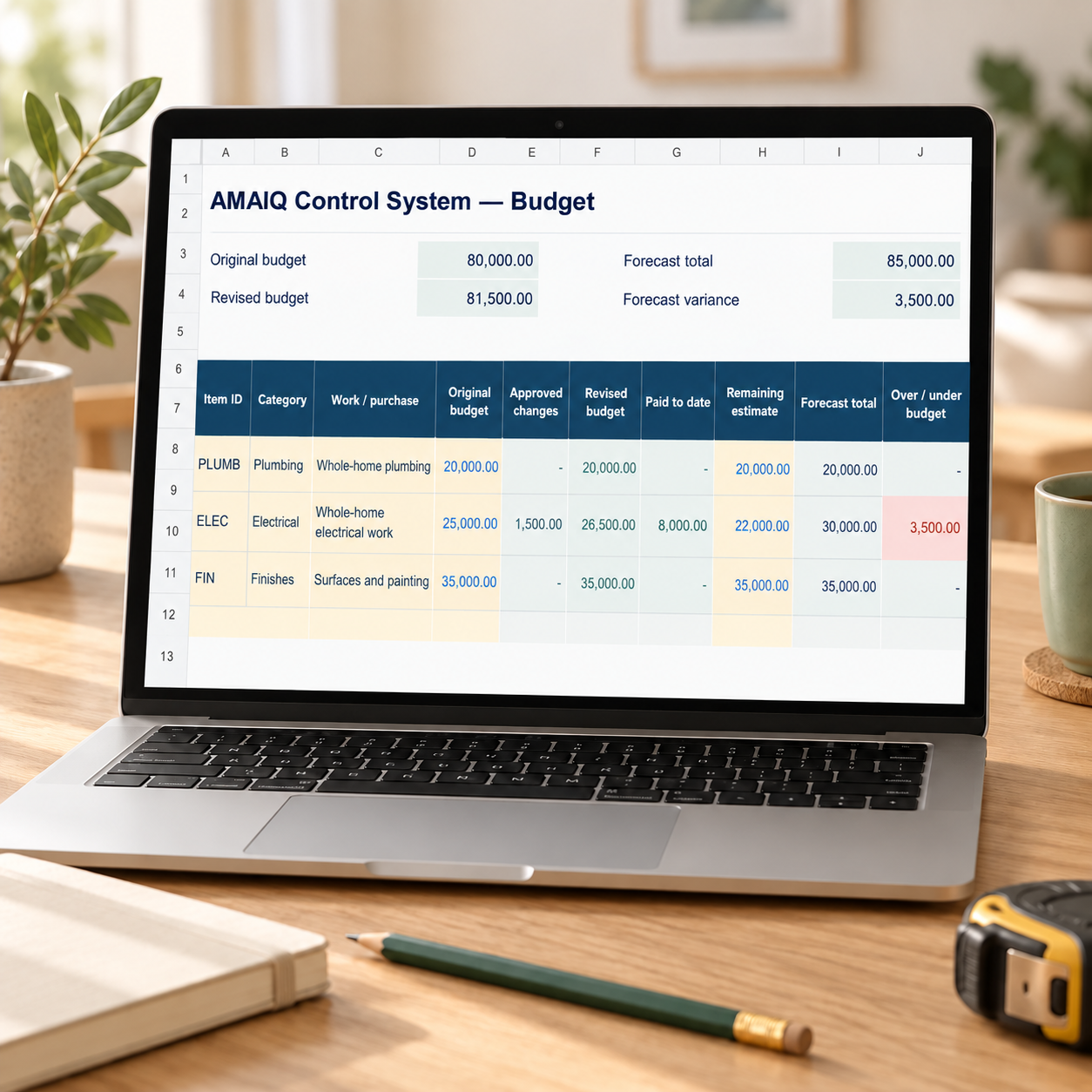
Your renovation budget
Compare the revised budget with payments and your remaining cost estimates.

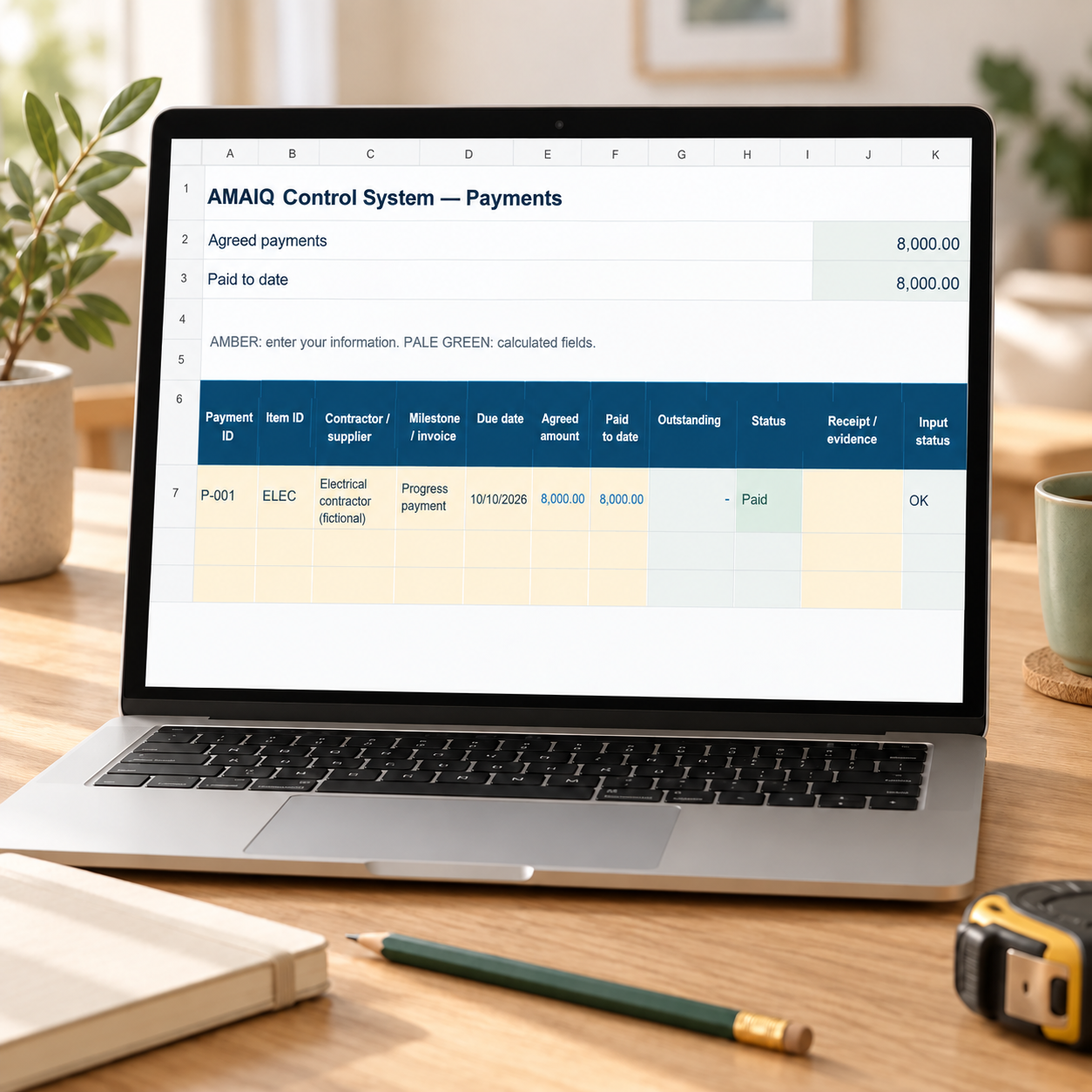
Your payment tracker
Keep agreed milestones, amounts paid, outstanding balances and due dates together.
Product illustrations. Fictional USD example.

Reviews
There are no reviews yet.